Plotter Art
Stroke-Only SVG
Plotters draw lines, not fills. Use :stroke-only true to strip fills and backgrounds:
(eido/render scene {:output "plotter.svg"
                        :stroke-only true})
This removes all :style/fill values and the :image/background, leaving only stroked paths.
Grouping by Pen
Multi-pen plotters need paths grouped by stroke color. Use :group-by-stroke:
(eido/render scene {:output "plotter.svg"
                        :stroke-only     true
                        :group-by-stroke true})
Each stroke color gets its own <g> element with an id like pen-rgb-0-0-0. Load the SVG in your plotter software and assign each group to a physical pen.
Travel Optimization
Minimize pen-up travel distance with :optimize-travel:
(eido/render scene {:output "plotter.svg"
                        :stroke-only     true
                        :group-by-stroke true
                        :deduplicate     true
                        :optimize-travel true})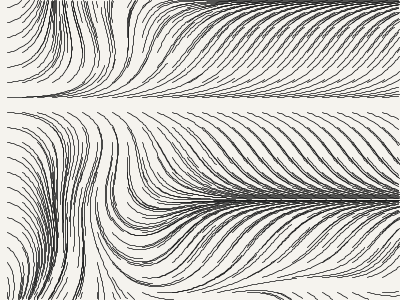
:deduplicate removes identical overlapping paths. :optimize-travel reorders drawing operations using greedy nearest-neighbor, which can significantly reduce total plot time.
Path Aesthetics
Plotter output benefits from path-level treatment — smoothing, jitter, and dashing:
(require '[eido.path.aesthetic :as aes])

;; Smooth jagged paths
(aes/smooth-commands cmds {:tension 0.4})

;; Add organic wobble
(aes/jittered-commands cmds {:amount 1.5 :seed 42})

;; Break into dashes
(aes/dash-commands cmds {:dash [10 5]})

;; Chain transforms with stylize
(aes/stylize cmds
  [[:smooth {:tension 0.3}]
   [:jitter {:amount 1.0 :seed 42}]])
These transforms work on path commands, not scene nodes — apply them before building the final scene.
Per-Layer Export
For multi-pen plotters, export one SVG file per stroke color with export-layers:
(require '[eido.io.plotter :as plotter])

(plotter/export-layers scene "output/plotter/"
  {:optimize-travel true})
;; => [{:pen "pen-rgb-255-0-0-" :file "output/plotter/pen-rgb-255-0-0-.svg"}
;;     {:pen "pen-rgb-0-0-255-" :file "output/plotter/pen-rgb-0-0-255-.svg"}]
;; Also writes output/plotter/preview.svg with all layers
Each layer SVG is stroke-only with deduplicated, travel-optimized paths. Load each file in your plotter software and assign to a physical pen. Disable the preview with {:preview false}.
Beyond Plotters: Polyline Export
For CNC mills, laser cutters, and custom plotter software, export raw coordinate data:
(eido/render scene {:format :polylines})
;=> {:polylines [[[x1 y1] [x2 y2] ...] ...]
;    :bounds [800 600]}

;; Or write to file
(eido/render scene {:format :polylines
                    :output "paths.edn"
                    :flatness 0.5
                    :segments 64})
All geometry is converted to polylines: curves are flattened via de Casteljau subdivision, circles and ellipses are approximated as polygons.
DXF for CAD & Fabrication
Eido emits DXF R12 ASCII — the universal CAD interchange format. Reach LibreCAD, QCAD, AutoCAD, and any downstream tool that consumes DXF: laser cutters, CNC routers, vinyl cutters, plasma tables, waterjets.
(eido/render scene {:output "art.dxf"})
;; or return the string
(eido/render scene {:format :dxf})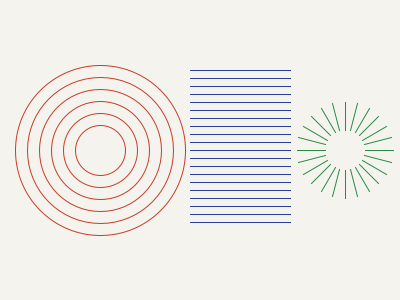
Each unique stroke color becomes a DXF LAYER named pen-R-G-B (or pen-R-G-B-aNN when stroke alpha < 1.0 — DXF R12 has no per-layer transparency, so the suffix keeps layer names unique). Colors map to the AutoCAD Color Index (ACI) by nearest-neighbor against the named 9-color palette. Ops without a stroke go to a pen-none layer.
Options:
:scale— coordinate multiplier (default 1.0); scene units are emitted as millimetres ($INSUNITS 4):flatness— curve subdivision tolerance (default 0.5):segments— circle/ellipse/arc segment count (default 64):optimize-travel— reorder polylines within each layer to minimize pen travel (default true)
GRBL G-code for Lasers & 2D CNC
For pen-on-CNC, laser engravers, and 2D CNC routers running GRBL, emit a streamable motion program:
(eido/render scene {:output "art.gcode"})
;; or as a string
(eido/render scene {:format :gcode})
Each stroke color becomes an M0 operator-pause tool change plus an M3 spindle-on (or M4 dynamic laser power when :laser-mode true). Polylines emit G0 rapids to start, G1 Z plunges to engage, G1 draws at the configured feed rate, then G1 Z retracts.
The Y-axis is flipped relative to scene height so (0, 0) sits at the bottom-left bed origin (CNC convention), not the top-left (SVG convention).
Options:
:feed— cutting/drawing feed rate (default 1000 mm/min):z-up/:z-down— safe retract / engage heights in mm (default 5 / 0):spindle-power— S value on M3/M4 (default 1000; typical 0–1000):laser-mode— swap M3 for M4 dynamic power (default false):scale,:flatness,:segments,:optimize-travel— as above
GRBL only. Marlin and LinuxCNC dialects, plus G2/G3 arc moves, are out of scope for this release.
HPGL for Vintage & Current Plotters
For the vintage pen-plotter world — HP DraftPro, HP DesignJet, Roland DXY/PNC, many used 80s/90s plotters still in service — and for AxiDraw-adjacent controllers via shims, emit HPGL directly:
(eido/render scene {:output "art.hpgl"})
;; or as a string
(eido/render scene {:format :hpgl})
HPGL is plain ASCII: IN; initialize, PA; absolute coords, SP n; select pen n, PU x,y; pen up + move, PD x,y,...; pen down + draw. Each unique stroke color becomes a sequential pen (1-indexed, first-seen order), so a scene with three stroke colors cleanly maps to pens 1, 2, and 3.
Like G-code, HPGL uses a bottom-left origin — Eido flips Y relative to scene height automatically.
Options:
:scale— plotter units per scene unit (default 40, matching the classic HP 40-units-per-mm resolution); pass:scale 1for raw scene units:flatness,:segments,:optimize-travel— as above
Clipping Through to the Pen
The polyline pipeline clips each exported polyline against its parent group's :group/clip geometry — same behavior as the raster renderer. Previously a 200×200 rect clipped to a small circle would have exported its full outline regardless, costing pen ink and travel on geometry the artist had hidden.
;; Flow field clipped to a circle — the exported DXF / G-code /
;; HPGL / polyline data contains only the strokes inside the circle.
{:image/size [300 300]
 :image/background [:color/rgb 245 243 238]
 :image/nodes
 [{:node/type  :group
   :group/clip {:node/type     :shape/circle
                :circle/center [150 150]
                :circle/radius 110}
   :group/children flow-field-paths}]}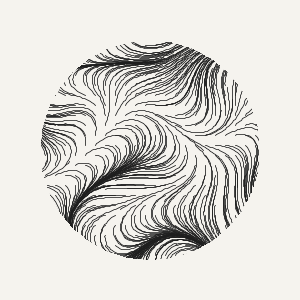
Clipping is segment-by-segment analytic: each polyline segment is tested against every clip-polygon edge; intervals classified as inside become sub-polylines, intervals outside are dropped, intervals straddling the boundary split into multiple sub-polylines. Open polylines (lines, unclosed paths) are handled correctly — they don't get forced into closed polygons.
Arbitrary, non-convex clip paths are supported; :shape/rect, :shape/circle, :shape/ellipse, and :shape/path all work as clip geometry.
What Doesn't Survive the Pen
Polylines can only represent stroke paths. Anything that relies on raster — fills (solid, gradient, pattern, hatch, stipple), effects (shadow, glow, blur), and composite modes — is silently dropped by every motion-stream backend. A scene that looks filled on screen exports as outlines only.
To make that loss auditable, the substrate reports it:
(eido/render scene {:format :polylines})
;=> {:polylines [...]
;    :bounds [400 300]
;    :dropped {:fills 12}}   ;; only present when non-empty

;; With :emit-manifest? true, the :dropped map lands in the
;; sidecar EDN manifest alongside :scene and :render-opts.
(eido/render scene {:output "art.dxf" :emit-manifest? true})
;; → writes art.dxf and art.edn, the latter containing :dropped.
For programmatic checks, eido.io.polyline/summarize-drops takes a compiled IR and returns the same map — useful when gating a plot queue or warning in a custom tool:
(require '[eido.io.polyline :as polyline]
         '[eido.engine.compile :as compile])

(polyline/summarize-drops (compile/compile scene))
;=> {:fills 3}  ;; or {} when nothing's dropped
If :dropped matters for your workflow, fold a check into your plot script: refuse to plot when fills are non-zero, or surface the count in your editioning tooling.