3D Generative Art
Building Meshes
3D scenes start with mesh primitives — pure data maps describing vertices and faces:
(require '[eido.scene3d :as s3d])

;; Primitive constructors
(s3d/sphere-mesh 1.0)
(s3d/sphere-mesh 1.0 {:segments 32 :rings 20})
(s3d/cube-mesh [0 0 0] 1.0)
(s3d/cylinder-mesh 0.5 2.0)
(s3d/torus-mesh 1.5 0.5)
(s3d/plane-mesh 2.0 2.0)

;; Platonic solids
(s3d/icosahedron-mesh 1.0)
(s3d/dodecahedron-mesh 1.0)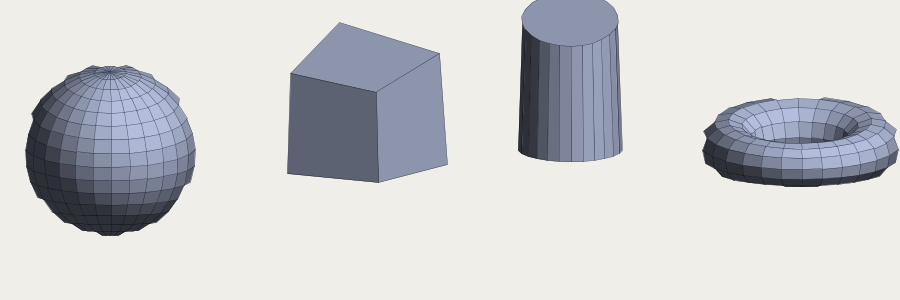
Every mesh is a map with :vertices and :faces. You can inspect, transform, and combine them as data.
Mesh Transforms
All transforms are pure functions — mesh in, mesh out:
(-> (s3d/sphere-mesh 1.0)
    (s3d/translate [2 0 0])
    (s3d/rotate-y 0.5)
    (s3d/scale [1 2 1])
    (s3d/subdivide-mesh)
    (s3d/deform (fn [v] (update v 1 + (* 0.2 (noise/perlin3d (v 0) (v 1) (v 2)))))))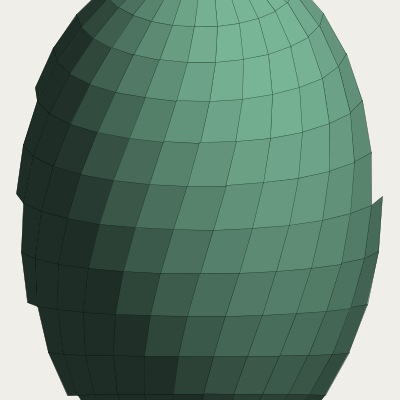
Chain transforms with ->. Deform takes a function from vertex to vertex — use noise for organic shapes.
Camera and Projection
;; Perspective projection — :scale is pixels-per-unit,
;; :origin is the image center, :distance sets the camera setback.
(def proj (s3d/perspective
            {:scale 120 :origin [400 300] :distance 5}))

;; Orbit around a target — replaces proj's yaw/pitch so the camera
;; looks at the target from the given spherical angle.
(def cam (s3d/orbit proj [0 0 0]
           {:radius 5 :yaw 0.3 :pitch -0.2}))
The projection transforms 3D coordinates to 2D screen space. orbit positions the camera looking at a target point.
Rendering to 2D
3D meshes render into regular 2D scene nodes:
;; Render a mesh into 2D nodes
(def nodes (s3d/render-mesh mesh cam
             {:style {:fill :white
                      :stroke {:color :black :width 0.5}}}))

;; Compose into a scene
{:image/size [800 600]
 :image/background [:color/rgb 30 30 40]
 :image/nodes nodes}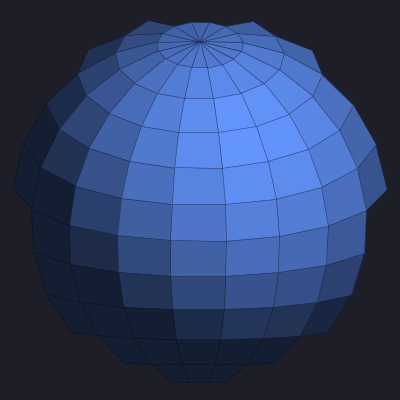
The output is standard Eido scene nodes — polygons with fills and strokes. Everything downstream (compositing, effects, animation) works normally.
Procedural Textures
The 2D↔3D bridge lets you use noise, palettes, and fields as surface textures:
;; UV-mapped noise texture
(s3d/paint-mesh mesh
  (fn [u v face-normal]
    (let [n (noise/fbm u v {:octaves 4 :scale 3.0})]
      [:color/hsl (* 360 n) 0.6 0.5])))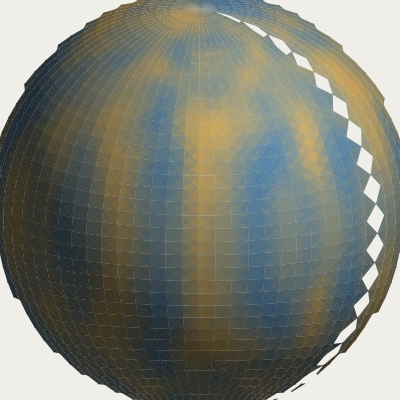
The paint function receives UV coordinates and the face normal — use them to drive color, pattern, or density.
Non-Photorealistic Rendering
Apply 2D hatching and stippling to 3D faces, with density driven by lighting:
;; Hatch lines whose density follows the light direction
(s3d/render-mesh mesh cam
  {:style :hatch
   :hatch {:angle 45 :spacing 3 :light-dir [1 1 1]}})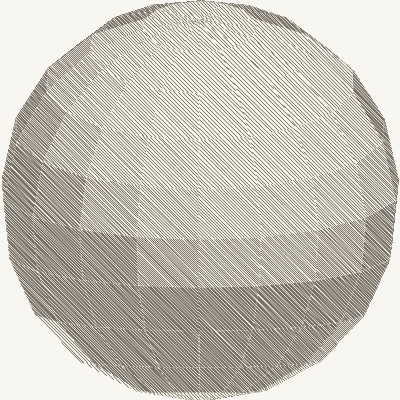
Lit faces get sparse hatching; shadowed faces get dense hatching. This produces a hand-drawn, woodcut-like look.